> For the complete documentation index, see [llms.txt](https://rubx.gitbook.io/rubx-wiki/llms.txt). Markdown versions of documentation pages are available by appending `.md` to page URLs; this page is available as [Markdown](https://rubx.gitbook.io/rubx-wiki/operacii-s-cfa/poluchenie-cfa.md).
# Получение ЦФА
На главной странице личного кабинета выберите блок **«Операции с ЦФА» (1)** и нажмите **«Получить» (2)**.
**Откройте раздел «Получить ЦФА».**
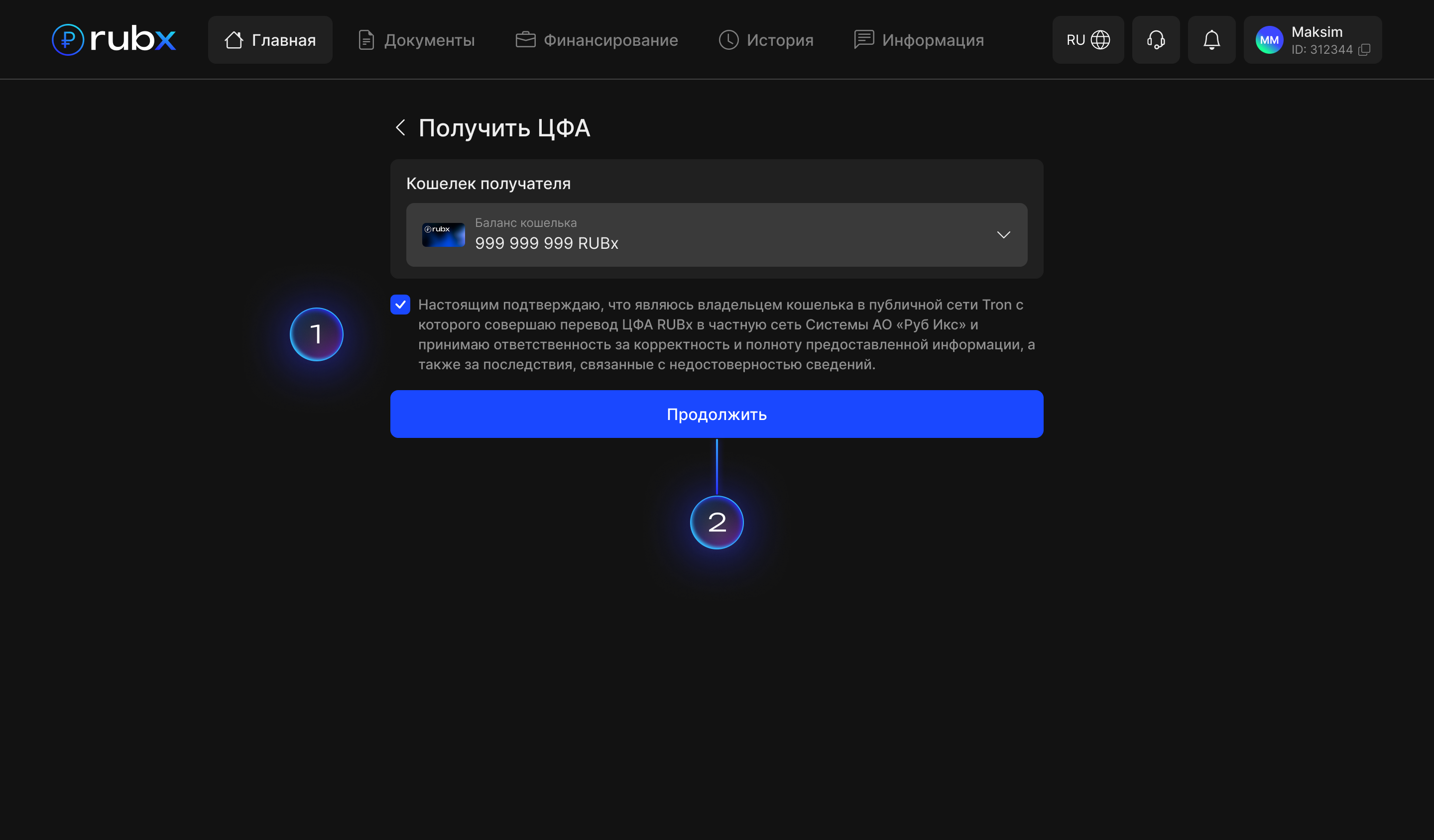
Выберите счет и отметьте подтверждение владения кошельком и правильность ввода **(5)**. Вы несете полную ответственность за корректность предоставленной информации.
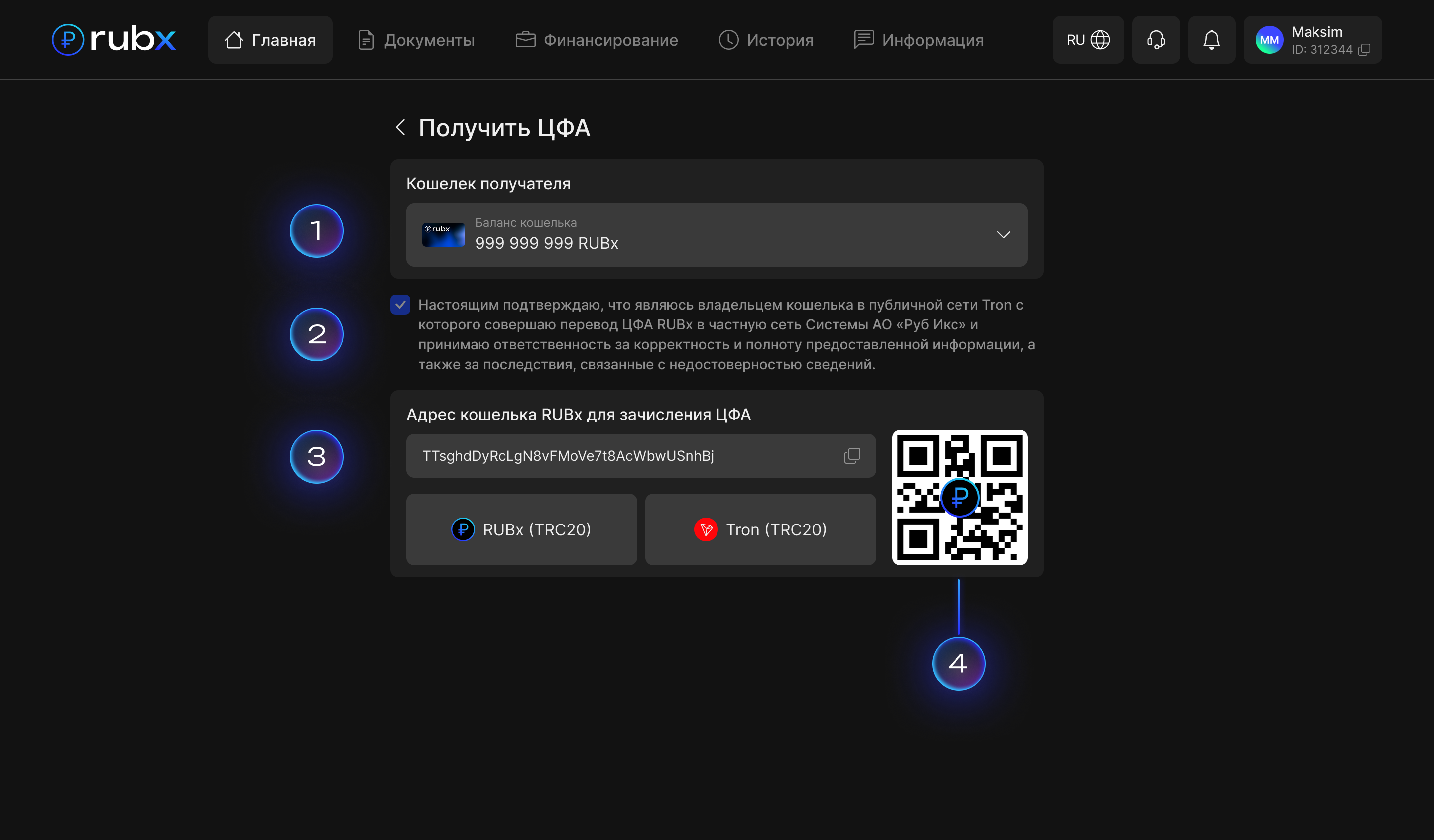
* Выберите счёт зачисления **(1).**
* Отметьте положение о владении кошельком и достоверности предоставленной информации **(2).**
* Выберите сеть **TRC20 (Tron) (3).**
* Скопируйте **адрес для зачисления ЦФА** или используйте **QR-код (3)**.
* Переведите RUBx только в указанной сети **TRON** **– использование другой сети приведёт к потере средств.**
#### Сроки и доступность
Переводы **RUBx** доступны **круглосуточно, 24/7**.\
Историю всех операций вы можете просмотреть в разделе **«История операций»** личного кабинета.
.png?alt=media&token=343aab91-f7db-4921-a0f3-8fe0325a463b)